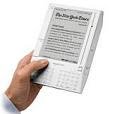
A student journalist from a university in Bristol, writing an article for his newspaper, asked me that last night in an email, as he is doing a paper on how the
Kindle might affect the sale of hardcover books and the publishing industry in general. He wondered:
"
What do you think the Kindle offers to buyers that will make them choose it over normal books?"
As a biased
Kindle DX owner, I thought about it a bit and here's the response I gave him (reasons for my bias, you could say), although I often choose physical books over the Kindle versions if they're books with beautiful illustrations, as the Kindle is best for text-focused books.
1. Some people just like gadgets.
2. The K2 allows you to carry about 1,500 mainly-text books
The DX allows you to carry about 3,500 and displays PDFs as
originally laid out. It's the portable-library effect. You know you will always have reading available that suits the mood rather than wishing you'd brought another book or another newspaper/magazine. And to top it off, it's very light to carry around.
3. The in-line dictionary gives a summary definition of any word your cursor is on (and which it has a definition for) on the bottom-two lines and allows you to get the full definition by pressing the Enter key
4. There are 6 size-levels of fonts so you can read at the size most comfortable for your eyes.
5. The visual effect is similar to paper-on-print without glare from LCD or other backlit screens. Easier on the eyes. After my vision has become blurry from too much time at my computer(s), I can go to the Kindle and relax with it as it doesn't shine light into my eyes -- but at night I need a clip-on light (with foam padding where it touches the Kindle) or a good lamp.
6. You now have the option to read purchased Kindle books on your netbook or desktop and to choose the number of words on a line so you can control the left/right margins. It's easier on the brain to read text in slim-column format, although some people like wide across-the-page reading, and we get the option.
7. You can search a book (or the entire Kindle) for a word or phrase and, if you're in the US, Tokyo, Hong Kong, Mexico, or other places being given free 24/7 web browsing where wireless providers give Amazon less-expensive web access, you can search those words/phrases via Google or at Wikipedia if you turn your Wireless 'On'... Amazon places Google and Wikipedia on the search-feature's option-line.
For international Kindle owners in countries with more-expensive web access, the 24/7 Wikipedia access is nevertheless still available (at no added cost) even if normal web-browsing is not.
It's sometimes (humorously) seen as a disguised Hitchiker's Guide to the Galaxy - See xkcd's take on that.
The search most used by me, probably, is of any book I'm reading, for instances of a name, since I forget extraneous characters easily -- and I use this when wanting to search for an incident described earlier. It's my more efficient substitute (to my mind) for flipping pages to try to find something.
8. That 24/7 web browser available to the US and a few other countries allows me to surf mainly-text-oriented websites when outside the home/office and I've a downloadable free 'book' file of mobile-optimized site links to make these easier to find, at http://bit.ly/mobiweb.
It's the only e-reader that offers this normally expensive feature.
That should be used with the speedup-tips (at the cost of fully-emulated wide-web-screens but with better text size than the tiny ones of emulated web-pages). If chosen, disabling of unnecessary images speeds up the experience as does the choice of "Basic Web" rather than 'Advanced" (Kindle 2) or "Desktop" (DX) - The tips are at http://bit.ly/kindleweb.
9. The ability to see all highlighting and notes I've made in the order I made them, on one page, at http://kindle.amazon.com (a private page for customers who have enabled or authorized backup of their book notes).
Here is an actual web page showing some highlighting for a specific book.
The ability to see, on the Kindle itself, lists of highlighting and notes, with links to the pages, identified by location numbers (the equivalent of page numbers, but always assigned to specific paragraphs no matter the size of the font).
10. NY Times bestsellers are cheaper in e-format but especially Kindle format. And older books cost about $5 to $7 while there are about 19,000 free books available from Amazon (which means notes you make to these are backed up by Amazon if you like and are shown to you on the private web page I mentioned).
(Update 2 & 3) International customers in some areas will find the books cost from $2 to $4 more than they do in the U.S. and that there is a smaller selection than for the U.S. Some have changed 'country setting' to get books they want, but found that there was a limit to being able to do that.
This also means the otherwise free Amazon books cost those customers $2.30 or so, and they should concentrate on the free book sources detailed in #11 (unless wanting Amazon server page backup of their highlighting and notes).
11. With the Kindle you can download direct to it (or to your computer for transfer to your Kindle) free "mobi" or "prc" format books from feedbooks.com, manybooks.net (mnybks.net) for direct download to the Kindle), fictionwise.com, and as I've often mentioned, any of 30,000 well-formatted books from the Project Gutenberg set.
Don't forget the usual lists of free-books at Amazon as well as elsewhere.
12. With a 3-minute conversion that I detail at http://bit.ly/milkbooks, you can read any of half-a-million free Google ePub books.
13. If I need to keep reading something (a personal doc, a newspaper article, or a book for which the publisher allows the Kindle's text-to-speech feature), then I can have one of two Kindle voices read the text to me while I am doing something else (cooking, washing dishes, driving the car). See http://bit.ly/ktom for details on that voice.
14. If I need music in the background I can use the feature to listen to music, but it's limited. With the K2 and DX, you hear music in the order it was placed on your Kindle (With the K1, it's entirely random). There is not enough room on the 4-Gig storage device to put much music. But it can be done, though only with mp3's -- you put them into the "music" folder of the Kindle.
15. The Kindle plays back Audible books and also audio-books that are in mp3 format. These will take a lot of room though. Normal text-based printed novels take up only an average 800K of space.
16. I can keep all my camera and other electronics guides on it and never have to (anymore) look all through the house to (maybe) find one.
17. I can save a clipping of the plain-text of an article I'm reading in a newspaper or magazine, in order to transfer it to my computer and edit or send it to someone or just keep it for my records.
18. With the newly released free Kindle for PC app, the entire household can read any Kindle book I bought, on a shared computer in the area.
19. Update 4 - So, how did I miss that we can request no-cost samples of a book before buying? - usually the first chapter, and I use this feature a lot! There is also the feature to Save for Later if unsure about buying but wanting to reconsider.
20. Update 5 - I keep missing the more obvious reasons. Instant download of a book you want (if Amazon has it). All countries with wireless access at all can take advantage of this probably biggest reason that a Kindle book purchase is favored by so many over going out to get a book.
However, the other e-readers have now caught on and are adding this feature, though Amazon's is currently the online e-book store with the overall best pricing and largest collection of books not in the public domain.
So, Amazon has added free Wikipedia access to all with wireless access, globally (unique feature for sure) and has the text-to-speech feature for the brief times you might find that useful.
In connection with all this, Amazon has a policy of allowing the return of a book (for refund/credit) for things like Table of Contents with no links, needed illustrations not included, with no advance warning of that.
You request this within 7 days of downloading a book, via phoning Kindle Customer Service at 866-321-8851.
That's all I can think of currently, but there are other reasons. You can see current customers' more creative uses for the Kindle, which is a more flexible device than described by some gadget sites, at
http://bit.ly/kcreative. And [Added later] here's a later thread with answers by Kindle owners to a question by a Kindle-interested husband, "Is it really worth $260?".
No other vendor, so far, has matched Amazon's policy of a
30-day return policy with no re-stocking fee on their e-reader. If the
Kindle doesn't suit you, they take it back and refund your money (as long as it's not damaged).
> 2) Do you think that if books become more electronically
> available, will they also be downloaded illegally like
> MP3's?
Sure. Even Dan Brown's new book was wildly distributed for free as a PDF file. Publishers and authors worry about that happening much more if files are sold without some kind of rights-protection.
What is fair to the buyer also is the question.
At any rate, these were the basic thoughts I had for the student.
If you have any others to add for your own choice of the Kindle (or any other e-reader), it'd be great to see them if you want to add them to the Comments area. Let me know if it's ok to add them to the original post in an update later.
OTHER REASONS given in Comments area (not seen in Kindle edition of the blog) with permission for posting in the main section.
(Update 1)"Batman Jr" - who is an Associate Professor at U of Nebraska - writes:
' Taking in combination the ability to adjust the font size, use Text-To-Speech, and the slim profile of the Kindle 2, I find it’s much easier to be able to read while using my treadmill. Increasing the font one level helps my eyes track the text even as I’m bouncing around a bit, having the text read to me as I read seems to help with concentration, and the Kindle is very stable on the treadmill ledge, and much less likely to fall off compared with a “regular” book or magazine. '
A couple of my friends use it for this too. But they have Kindle 1's and don't have the text-to-speech, which would definitely help with concentration.